Western Australia is big and empty in a way that kills phone signal fast. Leave a major town and your bars vanish, which is a problem if you’re working on the road, navigating, or just want to check the weather before a long drive. The good news: staying connected off-grid is now genuinely easy, mostly thanks to one thing. Here’s the honest rundown, and the simplest way to sort it.
The short answer: Starlink

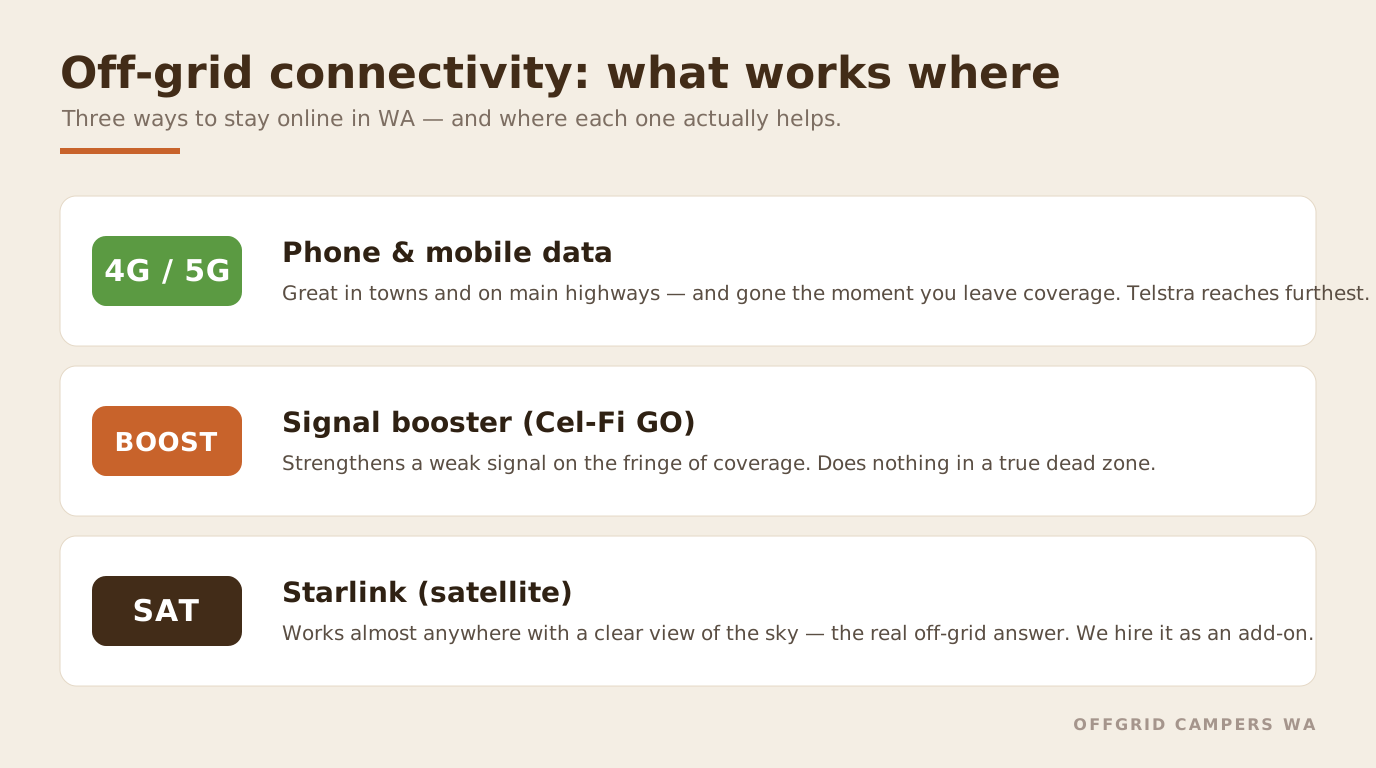
For real off-grid internet in WA, Starlink is the answer, it’s not close anymore. It beams a fast connection from low-orbit satellites to a dish that works almost anywhere with a clear view of the sky, no phone tower required. Travellers who used to juggle boosters and antennas now just point a dish at the sky and get on with it.
The easiest version of all: we include Starlink as an add-on on our campers, so you don’t have to buy a dish, sign up to a plan, or work out the power side, see Starlink hire. If you want the full picture before deciding, read on.
Mobile coverage: what you’ll have, and where you won’t
Before satellites, know your mobile reality. On the main highways and in towns you’ll usually have signal, and Telstra has by far the best remote coverage in WA, if you’re relying on a phone or hotspot out bush, a Telstra (or Telstra-network) SIM is the one to have. Optus is fine on the coast and in regional towns; the smaller resellers ride the same networks but sometimes deprioritise remote data.
The catch is that “best coverage” still means nothing once you’re properly off-grid, between Carnarvon and Exmouth, across the Nullarbor, or deep in a national park, there’s simply no tower to reach. That’s the gap satellite internet fills.
Starlink for off-grid travel
How it works: the dish talks to a constellation of low-Earth-orbit satellites, so latency is low enough for video calls and the speeds (typically 100–200 Mbps) are genuinely usable. The one rule is a clear view of the sky, park away from dense tree cover and it just works.
Roam vs Mini: the standard Starlink Roam dish is the workhorse for caravans and longer stays. The newer Starlink Mini packs the router and Wi-Fi into a single flat unit about the size of a laptop, lighter, lower power draw, and easy to stow, which makes it the pick for vehicle travel. It broadcasts Wi-Fi to your phones and laptops just like home. Either way you’re on the Roam plan, which you can pause between trips, with options up to unlimited data, so you can run effectively unlimited internet with no caps (Roam service starts around $85/month at the time of writing).
If you’ve also got a mobile router or booster, you can run both and let the system fall back to whichever is working, but for most WA trips, Starlink alone covers it.
Powering it off-grid
This is where people overthink it. A standard Dishy draws roughly 50–75W; the Mini is lighter again at around 25–40W. On a camper with a decent battery and solar, ours run 300Ah lithium with 200W of solar, that’s an easy load to carry through a day’s use, especially with the Mini. Run it when you need it rather than 24/7 and you’ll barely notice it on the battery. (More on managing power off-grid in our off-grid camper guide.)
Signal boosters: for fringe areas, not dead zones
A booster like the Cel-Fi GO (the Australian carrier-approved option) takes a weak existing signal and amplifies it, handy on the edge of coverage where you’ve got one flickering bar. Be clear on the limit, though: a booster can only strengthen a signal that’s already there. In a true dead zone it does nothing, and that’s exactly where Starlink earns its keep.
Don’t confuse connection with navigation, or safety
Two things internet doesn’t replace:
- Offline maps. Download your route before you go. WikiCamps is the essential one in Australia for campsites and facilities; Google Maps offline and Gaia GPS cover navigation and trails. These work with zero signal.
- An emergency beacon. Internet is for convenience; for a genuine emergency in the remote outback, carry a personal locator beacon (PLB) or satellite messenger. Keep our WA outback emergency numbers handy too, and remember 000 (112 from a mobile with no signal).
The easy option
You can buy a dish, choose a plan, sort the mounting and the power, and manage it all yourself, or you can add Starlink to your hire and have it ready to go at pickup, already wired to the camper’s power. For most travellers heading up the Coral Coast or into the parks, that’s the no-fuss way to stay connected. Browse the campervan range or check live availability on the fleet listings, and add Starlink when you book.
FAQs
What’s the best internet option for off-grid travel in Australia?
Starlink, comfortably, it works almost anywhere with a clear sky, no phone tower needed. For patchy-but-not-dead areas, a Telstra SIM with a Cel-Fi GO booster helps; for true dead zones, only satellite works.
How does Starlink work for a caravan or camper?
A dish connects to low-orbit satellites and feeds a router, giving you fast internet with just a clear view of the sky. You’re on the Roam plan, which you can pause between trips.
Starlink Mini or the standard dish?
The Mini is smaller, lighter and lower-power, the better fit for vehicle travel and quick setups. The standard Roam dish suits caravans and longer, fixed stays.
Can you power Starlink off-grid?
Yes. A standard dish draws about 50–75W and the Mini around 25–40W, easily handled by a camper with a good lithium-and-solar setup, especially if you run it only when you need it.
What does Starlink cost?
The Roam plan starts around $85/month with options up to unlimited data, and you can pause it between trips. On our campers you can skip all that and add Starlink as a daily hire instead.
Which mobile network is best for remote WA?
Telstra, by a clear margin, for highway and regional coverage. But no mobile network reaches the genuinely remote areas, that’s where Starlink takes over.